Tutorials

Welcome to our tutorials page. Here we will show you how Nodal Ninja is designed to operate through various short clip tutorials.
Please excuse the amateurish looking videos. In efforts to keep costs down we are doing these videos in house. The video production isn't professional level but we hope the objective of each video is meant.
For user guides and manuals click here.
Also here is a link to a tutorial by John Houghton an how to find the no parallax point of a lens:
http://www.johnhpanos.com/epcalib.htm
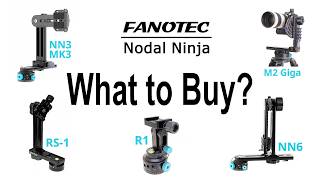
To help you decide which pano head is best for you visit our product selector page.

360x180 degree Equirectangular Image
mouse over and click to super zoom


Content on this page requires a newer version of Adobe Flash Player.

Get Adobe Flash player

Nodal Ninja in Action


Nodal NInja 3 Series:
NN3 MKII Package - What You Get
NN3 w/RD3L Rotator - What You Get
NN3 w/RD8 Rotator - What You Get
NN3 w/RD16 Rotator - What You Get
NN 3 MKII - Setup Up with DSLR
NN3 MKII - 60 second setup
NN3 series - Using in Landscape Mode
Upgrade NN3 new NN3 MKII -rotator upgrade
NN3 Series - Changing Detent Rings


Nodal Ninja 5 Series:
NN5/5L Package - What You Get
NN5/NN5L w/RD8 Rotator - What You Get
NN5/NN5L w/RD16 Rotator - What You Get
NN5 / NN5L - What's the Difference? / How to Use Upper Rotator
NN5/NN5L - Setup with DSLR
NN5/5L - Changing Detent Rings
NN5 Series - Using in Landscape Mode


Nodal Ninja 180:
NN180 - What You Get

Nodal Ninja Ultimate R1 / R10:
coming soon


Advanced Rotators:
RD16 - How It Works
RD8 - How It Works
RD3L w/EZ-Leveler-II - How It Works


EZ-Leveler-II
EZ-Leveler-II - How It Works


Accessories:
T-adapters
Qucik Release System (QRS-2)


Nodal Ninja 3 Series


Title / Description Movie

NN3 MKII Package
What You Get

This is a Nodal Ninja MKII as we ship it in package form.
Comprised of two basics assemblies, upper and lower, the package also includes detent rings and misc items. All are packaged in a precut foam insert shelled in a nicely line dual zippered case. Contents may vary slightly with promotions and specials.

top ^

NN3 w/RD3L Rotator
What You Get

NN3 with new R-D3L Rotator with built in EZ-Leveler-II
Great solution to those needing a leveling device / rotator / pano head. This is an exclusive design which combines Fanotec's RD3L rotator with built in EZ-Leveler-II to be mounted directly onto the NN3 pano head.

top ^

NN3 w/RD8 Rotator
What You Get

Nodal Ninja 3 MKII with Rotator R-D8
Includes NN3 MKII upper rotator assembly with the R-D8 lower rotator and rail, camera plate, 1 pr. rail stops and hard shelled case. Detent rings are not included or needed with advanced rotators.

top ^

NN3 w/RD16 Rotator
What You Get

Includes NN3 MKII upper rotator assembly with the RD16 lower rotator and rail, camera plate, 1 pr. rail stops and hard shelled case.
Detent rings are not included or needed.

top ^

NN 3 MKII
Setup Up with DSLR

First mount your Nodal Ninja 3 MKII to the tripod neck or ball mount. Attach upper assembly to lower rail with upper rail facing inward. Make sure the camera plate (CP-1) is securely mounted and squared to the base of your camera. Mount your camera to the upper rail with hand grip of camera on the up side.

top ^

NN3 MKII
"60 second setup"

Setting up the Nodal Ninja 3 MKII out of the package and onto a tripod then mounting a DSLR on the Nodal Ninja - all under 60 seconds.
Nodal Ninja is a full spherical panoramic tripod head used or creating 360 degree virtual reality photography. Also used for simple landscape digital photography as well as complex multirow mosaics and gigapixel panoramas. This type of photography is also know as quicktime VR or QTVR.

top ^

NN3 series
Using in Landscape Mode

Mounting a Camera in Landscape Mode.
When attaching your camera to the lower rail assembly make sure you use the camera mounting plate (CP-1). Make sure the camera plate is securely mounted and squared to the base of your camera. You may also use an optional quick release system as well.

top ^

Upgrade NN3 new NN3 MKII
"rotator upgrade"

If you have an older style NN3 with the lock set screw in the upper know of the lower rotator then it's time to upgrade. The enhanced MKII rotator is more precise and even easier to use. It gives your older NN3 new life and is a very inexpensive upgrade.

top ^

NN3 Series
Changing Detent Rings

Loosen the rotator lock knob then loosen the detent plunger knob slightly. Next unscrew and remove the upper knob which will have a built in hex key. Separate the rotator and expose the detent ring. Unscrew the set screw just enough to remove the detent ring and replace with the desired ring of choice. In this case here we use the 45 degree ring. Each ring is reversible and has a different set of stops on each side. In this video we use the 45 degree ring. Ring marking "45° n=8" translated: 1 click stop every 45 degrees of rotation total number of stops around = 8.
After changing the detent ring and putting back together the rotator, tighten the detent knob until you feel the ball bearing is touching the detent ring (small reaction force). Turn the rotator to see if there is wobbling at the detent stops. Tighten the knob a bit more if you note any wobble. Precision is max when the ball bearing is just touching the detent well.
Tighten upper rotator knob enough for good tension and feel. Be careful NOT to over tighten.

top ^


Nodal Ninja 5


Title / Description Movie Frame Shot

NN5/5L Package
What You Get

The standard NN5 and NN5L package comes in a nice hard shelled foam lined case. Foam cutouts hold the lower assembly and upper assembly as well and extra detent rings and misc. parts.

top ^

NN5/NN5L w/RD8 Rotator
What You Get

Nodal Ninja 5 with RD16 Rotator
Includes NN5 upper rotator assembly with 15 degree positive stops and the new R-D8 lower rotator, camera plate, 1 pr. rail stops and now with foam lined hard shelled zippered case (like with foam cutouts as shown in image). Detent rings are not included or needed.

top ^

NN5/NN5L w/RD16 Rotator
What You Get

Nodal Ninja 5 with RD16 Rotator
OUR TOP OF THE LINE PANO HEAD AND ROTATOR
Includes NN5 upper rotator assembly with 15 degree positive stops and the new R-D16 lower rotator, camera plate, 1 pr. rail stops and now with foam lined hard shelled zippered case (like with foam cutouts as shown in image). Detent rings are not included or needed.

top ^

NN5 / NN5L
What's the Difference?
How to Use Upper Rotator

Nodal Ninja uses a unique locking mechanism that allows for a positive lock at any 15 degrees of rotation, The NN5L does not incorporate this feature. When the level is to the left (as you are looking at it) it is in the lock ready position. Loosen upper rotator knob approx 1 full turn and rotate to any 15 degree position and lock. Always hold the camera when loosening the upper rotator. The locking feature can be disengaged easily by loosening the upper rotator knob and sliding level to the right. After you place the new detent into position tighten the set screw with hex key. Reassemble the rotator and screw the upper rotator knob securely but not excessively tight. Tighten the detent plunger knob all the way down to ensure good click stops. Do NOT over tighten. NN5L supports 15lbs (7.5kgs) NN5 supports 22lbs (12kgs) with lock stop engaged.

note: normal operating weight limit is approx have the max load.

top ^

NN5/NN5L
Setup with DSLR

Setting up and Mounting a DSLR on NN5
First mount your Nodal Ninja 5 to the tripod neck or ball mount. In this tutorial we will mount the NN5 to our EZ-Leveler-II. NN5 will attach to any 3/8 or 1/4 thread mount. Attach upper assembly to lower rail with upper rail facing inward. Make sure the camera plate (CP-1) is securely mounted and squared to the base of your camera. Mount your camera to the upper rail with hand grip of camera on the up side.

top ^

NN5/5L
Changing Detent Rings

First loosen the lower rotator lock knob, then loosen the little detent plunger knob. Next loosen and remove the upper knob of the lower rotator. Please note this knob has a built in hex key tool. Separate the rotator to expose the detent ring. Using the hex tool located in the rotator knob loosen the set screw and remove the detent ring. Careful not to get any grease on your fingers - if you do simply wipe you hands clean. Next replace the detent ring of your choice. In this tutorial we use the 72 degree ring. The ring marking "72° n5" translated: 1 click stop every 72 degrees of rotation total number of stops around = 5.

top ^

NN5 Series
Using in Landscape Mode

Mounting a DSLR in Landscape Mode
When attaching your camera to the lower rail assembly make sure you use the camera mounting plate (CP-1). Make sure the camera plate is securely mounted and squared to the base of your camera. You may also use an optional quick release system as well.

top ^


Nodal Ninja 180


Title / Description Movie Frame Shot

NN180
What You Get

Nodal Ninja 180 with advanced RD4 rotator comes in a nice hard shelled case with camera mounting plate, extra rail stop and misc parts.

top ^


R1


Title / Description Movie Frame Shot
  coming soon


Advanced Rotators


Title / Description Movie Frame Shot

RD16
How It Works

Part in a series of Fanotec's new top of the line advanced Rotators. A rotator that combines high precision, ease of use, compactness, light weight and durability - just what panoramic photographers have been waiting for. Suitable for lens ranging from ultra wide angle to 450mm (full frame landscape mode). Complete set of 16 detent interval options;
Stops around = 3 ,4, 6, 8, 10, 12, 15, 18, 20, 24, 30, 36, 48, 60, 72, 96
Degrees = 120, 90, 60, 45, 36, 30, 24, 20, 18, 15, 12, 10, 7.5, 6, 5, 3.75

top ^

RD8
How It Works

Fanotec Advanced Rotator and How it Works.
Part in a series of Fanotec's new top of the line advanced Rotators. A rotator that combines high precision, ease of use, compactness, light weight and durability - just what panoramic photographers have been waiting for. Suitable for lens ranging from ultra wide angle to 55mm (full frame).
Complete set of 8 detent interval options;
Stops around = 4, 6, 8, 10, 12, 15, 18, 20
Degrees = 90, 60, 45, 36, 30, 24, 20, 18

top ^

RD3L w/EZ-Leveler-II
How It Works

EZ-Leveler-II with built in D3 Rotator.
This is most fancy product we ever developed - the all
Users can now adjust very fine leveling with loading of heavy gear on top. Unlike leveling using ball head or tripod legs, leveling remains stationary after each adjustment. No more need to compensate for the effect of loading. Maximum angle of adjustment is 5 degrees.

note - we also have the RD3L 6-10-30 model

top ^


EZ-Leveler


Title / Description Movie Frame Shot

EZ-Leveler-II
How It Works

The EZ-Leveler-II comes an optional hard shelled foam lined carry case. It uses blue anodized knurled knobs for easy leveling and will support up to 22 lbs (12kgs) of weight.

top ^


Accessories


Title / Description Movie Frame Shot

T-Adapters

This is our first generation t-adapter. It is primarily used for cameras that use an offset tripod mount. Ideally the tripod mount should be inline the with center of the lens. Most point and shoot cameras as well as some Canon DSLR battery grips have a tripod mount that is sightly offset. The t-adapter helps to compensate for this offset. The t-20 is good for offsets up to 20mm (as with most cameras) and the t-30 if good for offsets up to 30mm.

note: watch for our newer 2nd generation t-adapter.

top ^


Be sure to check out our Field Of View and Panorama Production Calculator.
This calculator can be used to calculate the Field Of View of both fisheye and normal lenses and the number of images needed for a panorama using a given overlap. more...